
New Cyber Threat Alert: Cybersecurity researchers have flagged a sophisticated social engineering campaign targeting Windows users. Hackers are using realistic “Fake Update” screens to trick users into installing a dangerous info-stealer known as Fantasy Malware.
Unlike traditional phishing emails, this attack utilizes browser manipulation techniques to create panic, forcing users to download malicious payloads manually.
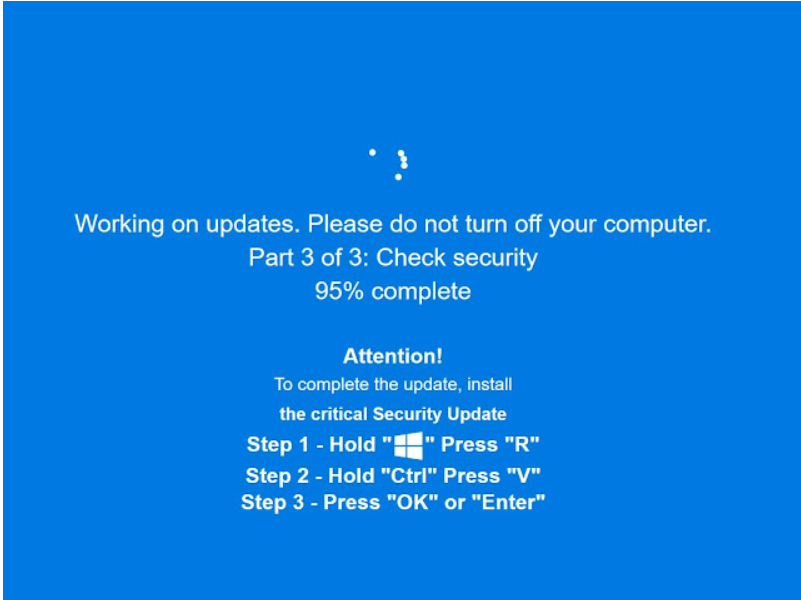
How the Attack Works (The “F11” Deception)
The campaign relies on a technique known as “Browser Locker” or technical support scams, but with a modern twist. Here is the step-by-step mechanism used by the attackers:
- The Trap: A user visits a compromised website or clicks on a malicious advertisement (Malvertising).
- Browser Manipulation: The script immediately forces the web browser into Full-Screen Mode (simulating the F11 key press). This hides the URL bar, tabs, and Windows taskbar.
- Visual Deception: The screen displays a high-quality animation of a legitimate “Windows Security Update” or “Chrome Update.”
- The Payload: The update animation eventually “fails” or pauses, prompting the user to download a file named
Update.exeorHotfix.exeto continue. This file is the Fantasy Malware.
Deep Dive: What is ‘Fantasy’ Malware?
Fantasy is a potent Info-Stealer designed to extract sensitive data from infected systems. Once a user mistakenly installs the fake update, the malware executes in the background.
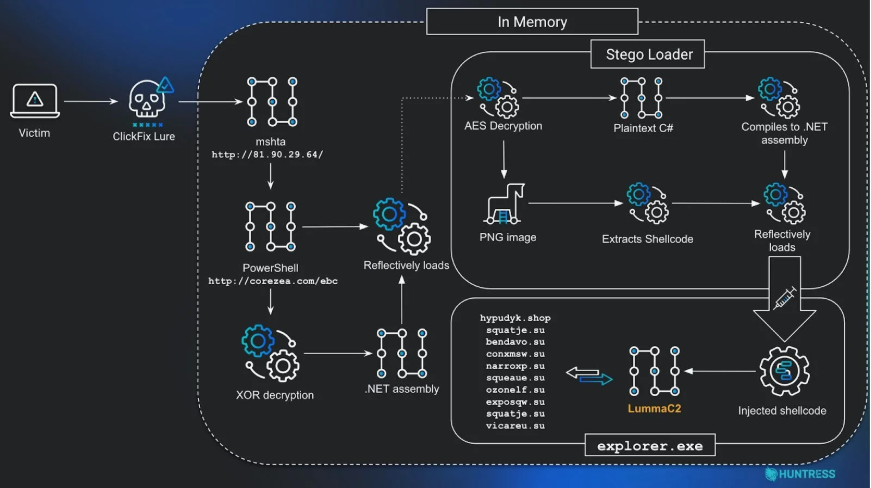
Capabilities of Fantasy Malware:
- Credential Theft: Steals saved passwords from browsers like Chrome, Edge, and Firefox.
- Session Hijacking: Extracts cookies and session tokens, allowing attackers to bypass Two-Factor Authentication (2FA).
- System Profiling: Collects details about the victim’s hardware and network.
- Payload Dropping: It can act as a “Loader” to install additional malware, such as Ransomware.
TechUpdate24 Analysis: Why This Is Effective
Our Take: This attack is dangerous because it exploits Human Psychology rather than software vulnerabilities. By forcing the browser into full-screen mode, attackers remove the visual cues users normally rely on to verify a website (like the address bar).
Critical Observation: Users must remember a fundamental rule of Windows OS: Legitimate Windows System Updates NEVER occur inside a web browser. True system updates only happen within the Start Menu > Settings > Windows Update interface. If you see an update bar inside Chrome or Edge, it is 100% a scam.
How to Detect & Protect Yourself
To protect your personal and business devices from this specific campaign, follow these security protocols:
1. The “Esc” Key Test
If your screen suddenly goes full-screen and shows a blocking update message, immediately press the Esc (Escape) key on your keyboard.
- Result: If the window shrinks back to a normal browser tab with an address bar, it is a fake website. Close the tab immediately.
2. Disable Automatic Downloads
Configure your browser settings to “Ask where to save each file before downloading.” This prevents malware from downloading automatically if you accidentally click a link.
3. Endpoint Protection
Ensure your antivirus software is updated. Modern Endpoint Detection and Response (EDR) tools can detect the signature of Fantasy Malware and block the execution of files named Update.exe originating from browsers.
Disclaimer: This report is based on recent cybersecurity findings regarding the Fantasy Malware campaign. The analysis provided by TechUpdate24 is for educational purposes to help users identify and prevent social engineering attacks.


I feel this is among the such a lot important info for me.
And i’m satisfied studying your article. But should statement on few general issues, The web
site style is great, the articles is in reality great :
D. Just right process, cheers